Setup Kimchi + wokd for KVM ubuntu 20.04 LTS
Hi, it’s been a while since I really blogged, usually I just copy paste, but this time I want to really share about the problem of setting up kimchi on ubuntu 20.04 LTS, maybe if you try on ubuntu 20.04 LTS when setting up kimchi there is a dependency that is not detected which is python-m2crypto, yeah it’s not available in the ubuntu LTS repo but you can improve it, let’s see
#Download python3-m2crypto via wget
wget http://ftp.us.debian.org/debian/pool/main/m/m2crypto/python-m2crypto_0.31.0-4%2Bdeb10u2_amd64.deb
*if it’s no longer available you can search for it yourself – happy googling
#Install Gdebi, Nginx, and python3-m2crypto
$ sudo apt install gdebi nginx python3-m2crypto
#Gdebi python-m2crypto package
$ sudo gdebi python-m2crypto_0.31.0-4+deb10u2_amd64.deb
#Start wokd Service
$ sudo service wokd start
#Setup Nginx again (Normally the previous install will error)
$ sudo apt install nginx
#Some Kimchi dependencies need to be installed via pip
$ sudo apt install -y python3-pip pkg-config libnl-route-3-dev
$ sudo -H pip3 install -r https://raw.githubusercontent.com/kimchi-project/kimchi/master/requirements-UBUNTU.txt
# Install Kimchi manually from git repo
$ git clone https://github.com/kimchi-project/kimchi
$ cd kimchi
$ vi dependencies.yaml
Add python3-m2crypto to
development-deps:
  common:
    - gcc
    - make
    - autoconf
    - automake
    - git
    - python3-pip
    - python3-requests
    - python3-mock
    - python3-m2crypto # here
Then create a bash script file with any name you want for example install_compile.sh
#!/bin/bash

echo;echo;echo
echo "# Compiling Kimchil"
sudo ./autogen.sh --system
make
echo;echo;echo
echo "# Optional if running from the source tree"
sudo make install
echo;echo;echo
echo "# Or, to make installable .deb packages"
make deb
echo;echo;echo
echo "#Install Kimchil from compiled .deb"
sudo apt install -y ./*.noarch.deb
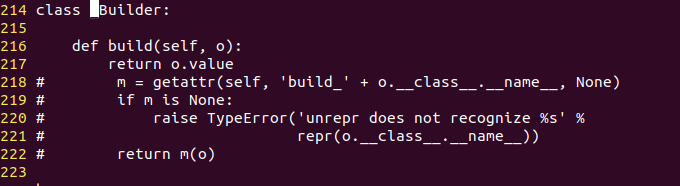
Modify the reprconf.py library code, find that file, if the location on my ubuntu is /usr/local/lib/python3.8/dist-packages/cherrypy/lib/reprconf.py
Then change the _Builder function to look like this
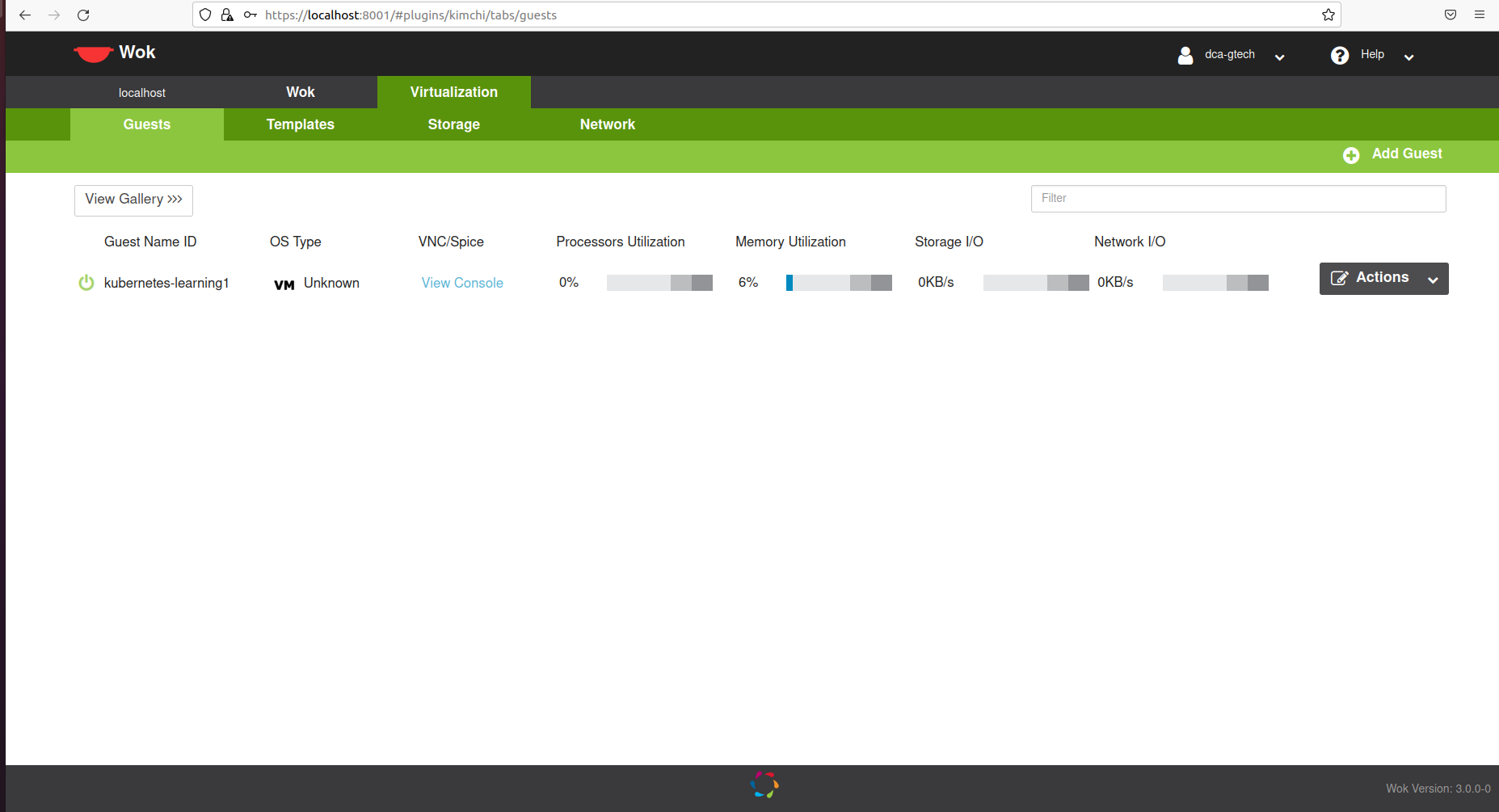
Just run service wokd restart again, just check https://localhost:8001
Done ! Good Luck :P
source troubleshoot : https://github.com/kimchi-project/kimchi/issues/1318#issuecomment-610583198